The controller is the brain of an LED wall: it loads and plays the content, regulates brightness and pulls the modules together into a single, coherent picture. Our range covers asynchronous players, where the content is stored on the card and refreshed over Wi-Fi or the internet, and synchronous controllers, where the wall shows in real time whatever the computer sends it — from a small scrolling sign to a giant outdoor wall, there is a solution for every size.

LED controllers products (25)
Filter by size, pixel pitch or indoor/outdoor use to find the right one quickly.

Entry-level asynchronous control card for smaller single-colour and dual-colour LED signs.
Entry-level asynchronous control card for mid-sized scrolling signs and lettered boards.
The highest-capacity controller in the entry-level asynchronous range, for larger scrolling signs.

Wi-Fi asynchronous controller for full-colour LED displays, with convenient content management from a phone.

Higher-capacity Wi-Fi asynchronous controller for medium and large full-colour signs.

Asynchronous controller for full-colour LED walls, with a wired LAN connection for stable operation.
Higher-capacity LAN asynchronous controller for larger full-colour LED walls.

Compact Wi-Fi controller for smaller single-colour and seven-colour scrolling signs.

Mid-capacity Wi-Fi asynchronous controller for mid-sized scrolling signs.
Higher-capacity Wi-Fi asynchronous controller for larger scrolling signs.

Asynchronous controller supporting both Wi-Fi and LAN connection, for full-colour LED walls.
Controller with 4 HUB75 outputs for smaller, modular full-colour LED walls.

Controller with 5 HUB75 outputs for larger, modular full-colour LED walls.
Compact Wi-Fi asynchronous controller for smaller LED walls, controlled from a phone.
Wi-Fi asynchronous controller for mid-sized LED walls, with greater pixel capacity.
High-capacity Wi-Fi asynchronous controller for larger LED walls, with simple phone-based handling.

Receiving card with 8 HUB75 outputs for larger, synchronously controlled LED walls.

Receiving card with 12 HUB75 outputs for synchronous control of larger LED walls.

Receiving card with 16 HUB75 outputs for large, high-resolution LED walls.

Video processor with HDMI/DVI input for showing a live signal and scaled content on an LED wall.

Multi-input video processor with switching and picture-in-picture, for larger LED walls.

Automatic brightness control sensor that matches the LED wall's brightness to the ambient light.

Temperature monitoring sensor to protect the LED wall and prevent heat-related failures.

Temperature and humidity sensor for scrolling signs and message signs, for real-time data display.

Add-on module that makes an existing LED controller Wi-Fi capable for refreshing from a phone.
More detail on LED controllers — technical background, comparison, applications
A modern asynchronous controller can be configured in minutes from a phone app or a browser, and displays across several sites can be managed from a single cloud account. Choosing the controller depends on the total pixel count of the wall, the features you need (scheduling, multiple zones, live signal) and the network environment — get the sizing wrong and the picture may stutter or fail, so we always match it to the wall's parameters. Many operators underestimate the controller, yet a good, reliable control card matters just as much to the end result as the LED module itself.
What is the controller, and who needs to choose it carefully?
The controller is the hardware and software element that carries content from the source (phone, computer, cloud) to the LED modules and coordinates the image, the brightness and the scheduling. It matters to everyone running an LED wall or sign: retailers changing a promotional message daily, event producers who need to display a live signal, and retail chains wanting to manage several sites centrally. A poor controller choice is the most common reason an otherwise good LED wall does not perform as expected — so it is a design question, not an afterthought.
Asynchronous or synchronous — which do you need?
For an advertising surface or a business display, an asynchronous controller is almost always right: you upload the content from a phone or browser and the wall plays it to schedule by itself, with no computer having to stay switched on. Synchronous control is needed where you show a live signal in real time: stage, sporting event, conference, television studio, where the picture must show exactly what the mixing desk or the computer sends. The two can also be combined: one wall can have both modes, so you switch to a live feed during the event and return to scheduled content afterwards.
Choosing a controller by size and feature set
We size the controller primarily to the total resolution of the wall (overall pixel count): a small scrolling sign needs only an entry-level card, while a high-resolution outdoor wall requires a higher-capacity player and a receiving-card system. Other considerations are network access (is there local Wi-Fi, wired LAN, or only mobile coverage), the number of zones (one or several separate content areas on one wall), and whether cloud-based, multi-site management is needed. Tell us the size and pixel pitch of the wall and we will recommend an exact type, so you pay for a controller that is neither undersized nor needlessly over-specified.
Remote control — Wi-Fi, LAN, 4G and cloud
Modern controllers can be reached in several ways: over local Wi-Fi from a phone app, over a wired network for stable, high-bandwidth content, or — where there is no wired internet — with a 4G modem and a cloud service, so content can be refreshed from the other side of the country. Displays across several sites can be managed from one cloud account, scheduled and grouped, which for retail chains is a convenience that pays for itself daily: no separate intervention at each site to launch a promotion. The cloud solution also logs playback, so it can be traced back which content ran on which display and when.
What determines the price of a controller?
The price is set by the pixel count it can handle (capacity), the number of supported features (scheduling, multiple zones, live signal, sensor-driven automatic brightness), the type of network module (Wi-Fi, LAN, 4G) and the scope of the software licence (local or cloud based, multi-site management). Further items may be the labour for commissioning and configuration, plus the warranty and the support period for software updates. In a transparent quote these appear on separate lines, so you know how much goes on hardware and how much on the software service.
Installation and commissioning
Selecting and commissioning the controller is an integral part of designing the wall: we record the network environment and the required features during the survey. During installation we connect the control cards and receiving cards to the modules, carry out calibration (matching brightness and colour between modules), and then test network access and content uploading. Handover includes operator training: we show you how to upload new content, set up scheduling, and manage multiple zones or sites from one interface.
Quality and reliability
A controller failure can stop the whole wall, so we work exclusively with reliable, industrial-grade control cards that run stably for years under continuous load. Because we have our own service operation, a failed controller can be replaced quickly from stock rather than waiting weeks for a delivery from abroad. We also keep the software side updated regularly, so compatibility and freedom from security holes are assured over the long term.
Common mistakes and myths
The most frequent mistake is undersized controller capacity: if the wall's pixel count exceeds the card's capability, the picture appears corrupted or not at all. Many wrongly assume that running a display requires IT expertise, when modern app-based systems are as simple as managing a social media account — anyone who can write an email will pick it up easily. Another common omission is failing to check network coverage in advance: if Wi-Fi is weak on site or there is no wired internet, that must be settled at the design stage so a 4G solution can be chosen instead. Finally, it is a myth that the controller of an old wall cannot be replaced — in most cases a new, modern controller can be fitted to the existing modules.
Benefits
- ✓ Content refreshed from a phone or a browser
- ✓ Scheduled playback, automatic brightness control
- ✓ Cloud-based remote management across multiple sites
- ✓ Pixel capacity matched to the size of the wall
- ✓ Asynchronous and synchronous modes combinable in one system
- ✓ Logged, traceable playback history
Typical applications
Related articles

For LED video wall control you can choose between wired UTP/LAN, Wi-Fi, 4G and cloud-based systems. We explain the role of the controller card brands and the practical difference between synchronous and asynchronous control, so you can run your wall with confidence.

A programmable LED sign displays text, prices and simple graphics. We look at what it can do, what controller it needs, what it costs and how you set it up.
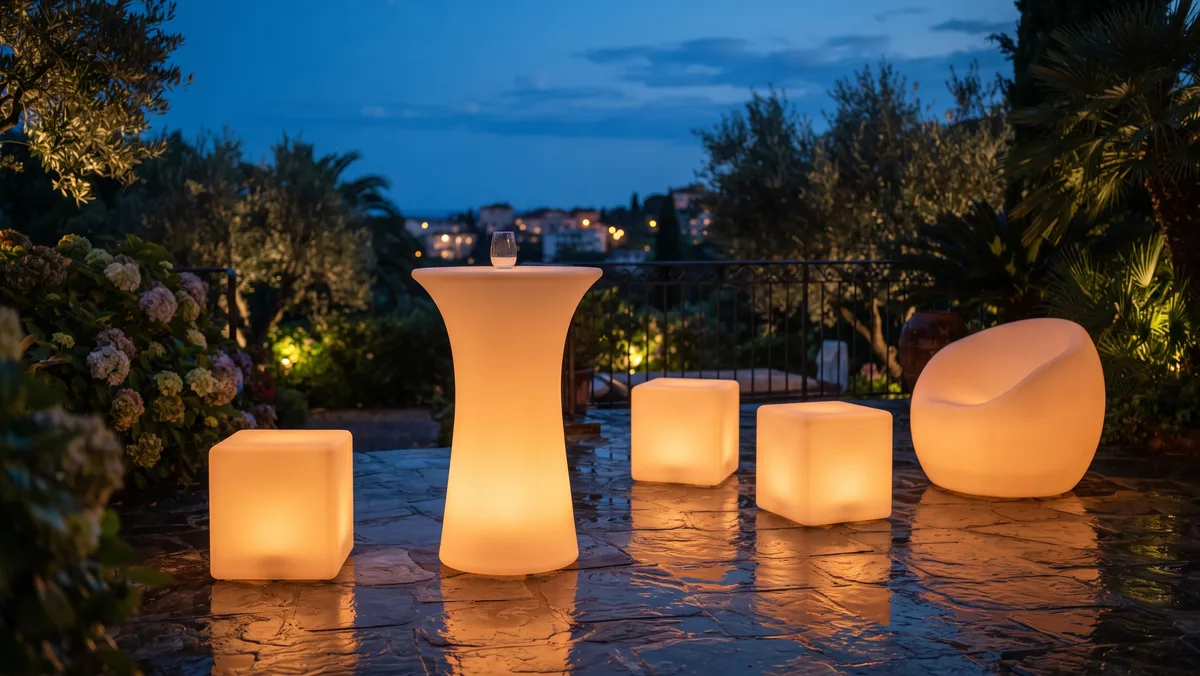
How to keep illuminated event furniture in service: what to wipe polyethylene with, how to handle the batteries, and what to check after every event.
LED controllers — frequently asked questions
Does an LED wall need a computer to run?
Not with an asynchronous controller: the content sits in the card's memory and the wall plays it by itself. A computer is only needed to upload it — and that can be a phone or a browser.
Can I update the display from home?
Yes — if the controller is connected to the internet (LAN or 4G modem), you can change the content from anywhere through the cloud interface, on several displays at once if you wish.
Can you supply a new controller for my old wall?
In most cases yes — we select a compatible controller based on the module type and the wall's resolution, and carry out the configuration too.
Can the controller play video?
Yes, modern asynchronous and synchronous controllers both support video content, at a quality matched to the resolution and size of the wall.
How do I control it if there is no wired internet on site?
With a 4G-modem controller and a cloud service, the display can be reached and updated over the mobile network.
How much does an LED controller cost?
The price is determined by the pixel count it can handle, the features (scheduling, multiple zones, live signal) and the type of network module; you see it as a separate item in our quote.
Request a custom quote for LED controllers
Tell us the size and the location, and we will come back with a pixel pitch recommendation, a price and a visualisation.
Request a quote →


